How to Create a Rental Contract Online
Learn how to create your Spanish housing lease step by step. Templates aligned with the 2024 LAU, AI personalization and electronic signature included.
Table of contents
What is a rental contract?
A housing lease agreement is the legal document that governs the relationship between the property owner (landlord) and the tenant. In Spain it is regulated by the Urban Leases Act (LAU) and sets out the rights and obligations of both parties.
Legal protection
Protects both parties in case of breach
Financial clarity
Defines rent, expenses and payment terms
Term and dates
Sets the rental period and renewals
Why create your contract online with Docu Legalia
- Templates aligned with the 2024 LAU
- AI assistant that customizes clauses to your case
- Qualified electronic signature with full legal validity (eIDAS)
- Immediate export as PDF and Word
Pick your contract template
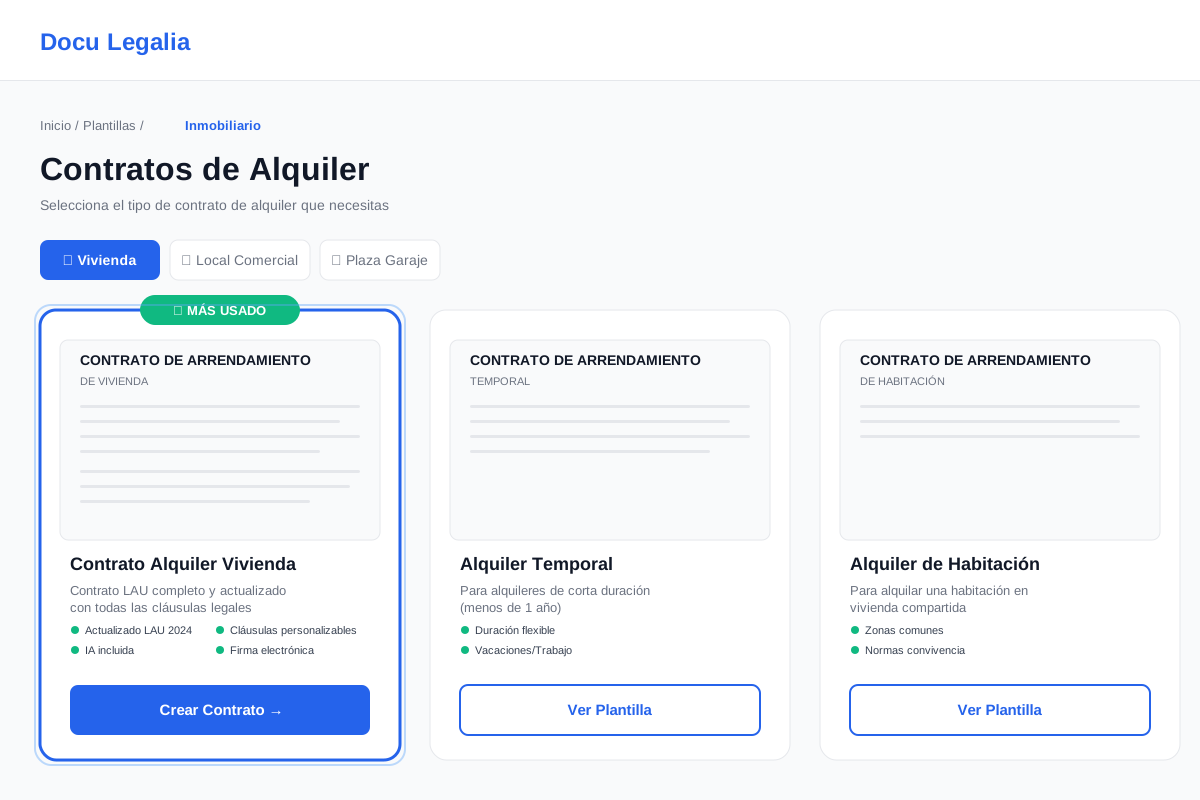
First, choose the type of rental contract you need. We offer three main options:
🏠 Primary residence
For long-term leases used as the tenant's main home
- • Minimum term: 1 year
- • Automatic renewal
- • Full LAU protection
🗓️ Temporary
For short stays (work, studies, holidays)
- • Flexible duration
- • Less than 1 year
- • Justified temporary cause
🚪 Single room
For renting a single room in a shared flat
- • Use of common areas
- • Coexistence rules
- • Shared expenses
💡 Tip
If the tenant will live in the property permanently, always pick "Primary residence". This option offers the maximum legal protection for both parties under the LAU.
Fill in the basic data
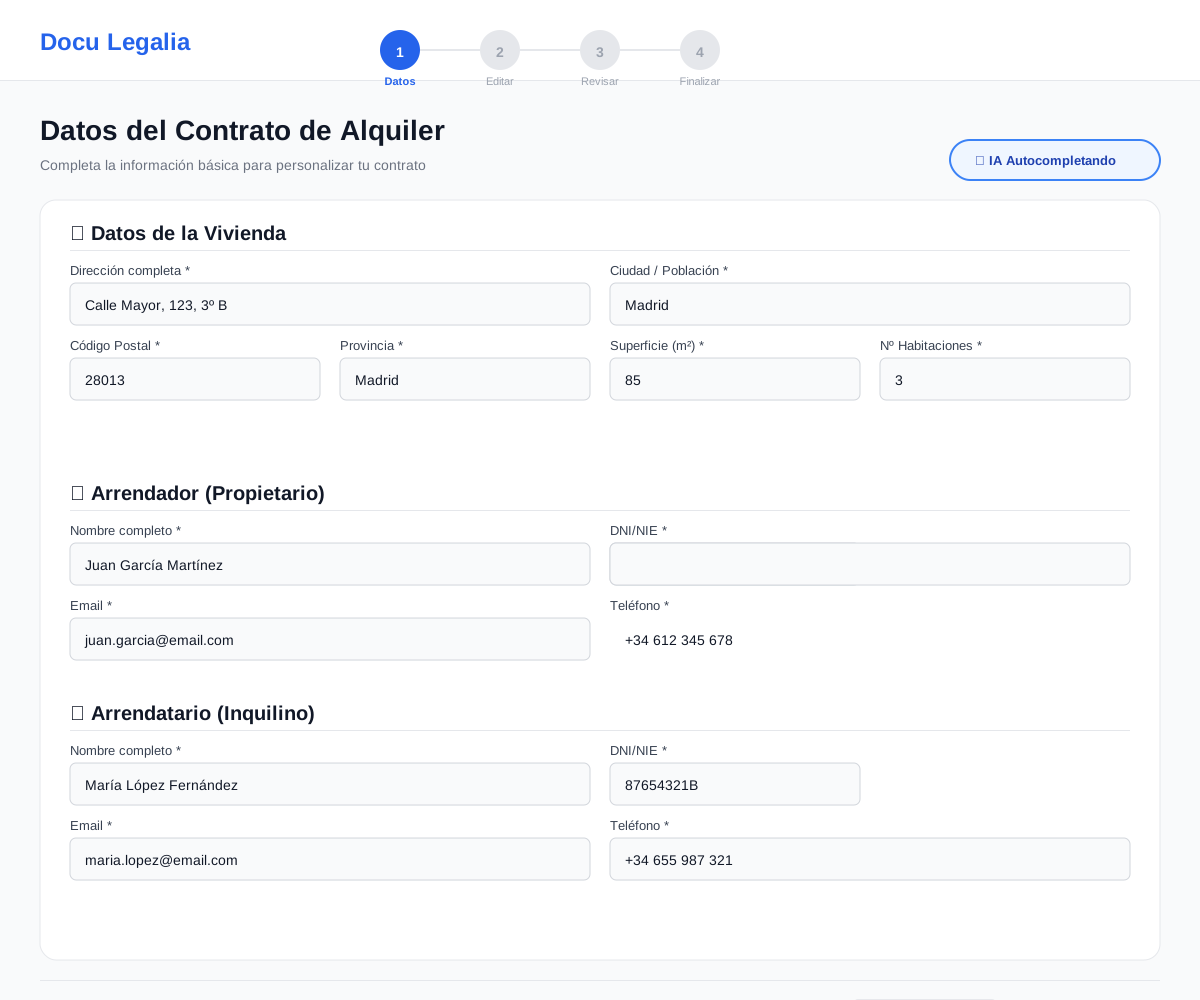
Now enter the essential information of the contract. Our system guides you step by step:
📋 Required information:
1 Property data
- • Full address
- • City, postcode and province
- • Surface area in square meters
- • Number of rooms and bathrooms
2 Landlord (owner) data
- • Full name
- • Spanish DNI/NIE or company tax ID (CIF)
- • Contact email and phone
3 Tenant data
- • Full name
- • DNI/NIE
- • Contact email and phone
- • You can add multiple tenants if needed
Smart autofill with AI
If you have created contracts before, our AI automatically detects the data you reuse most and pre-fills it to save you time.
Customize in the visual editor
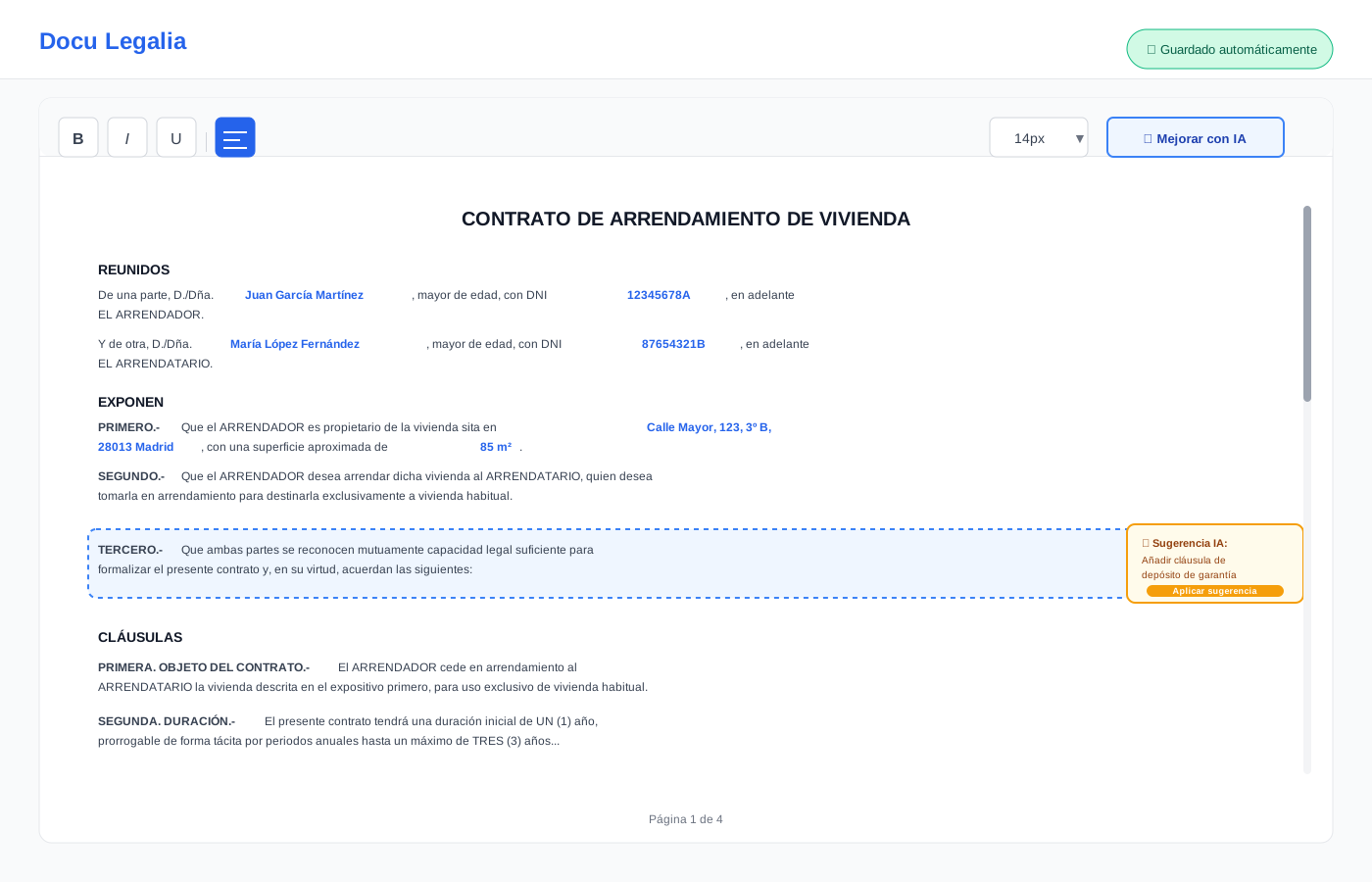
Once the basic data is in, you reach the visual editor where you can review and customize all the contract clauses.
✨ Editor features:
🤖 AI assistant
Suggests improvements, flags inconsistencies and recommends extra clauses based on your situation
✏️ Free editing
Edit any text, add or remove clauses to fit your specific needs
📑 Predefined clauses
Library of common clauses you can insert in one click (pets, renovations, subletting, etc.)
💾 Auto-save
All changes are saved in real time — you will never lose your work
⚠️ Important
Although you can customize the contract freely, we recommend keeping the essential clauses that the template includes — they are designed to comply with the LAU and protect both parties.
Review the preview
Before finalizing, you can see how your contract will look in PDF. The preview lets you:
Verify all data
Check that names, addresses, dates and amounts are correct
Check the formatting
Ensure the document presents itself professionally
Download a draft PDF
You can download a copy to review at leisure or share it
Go back and edit
If you spot something to change, jump back to the editor in one click
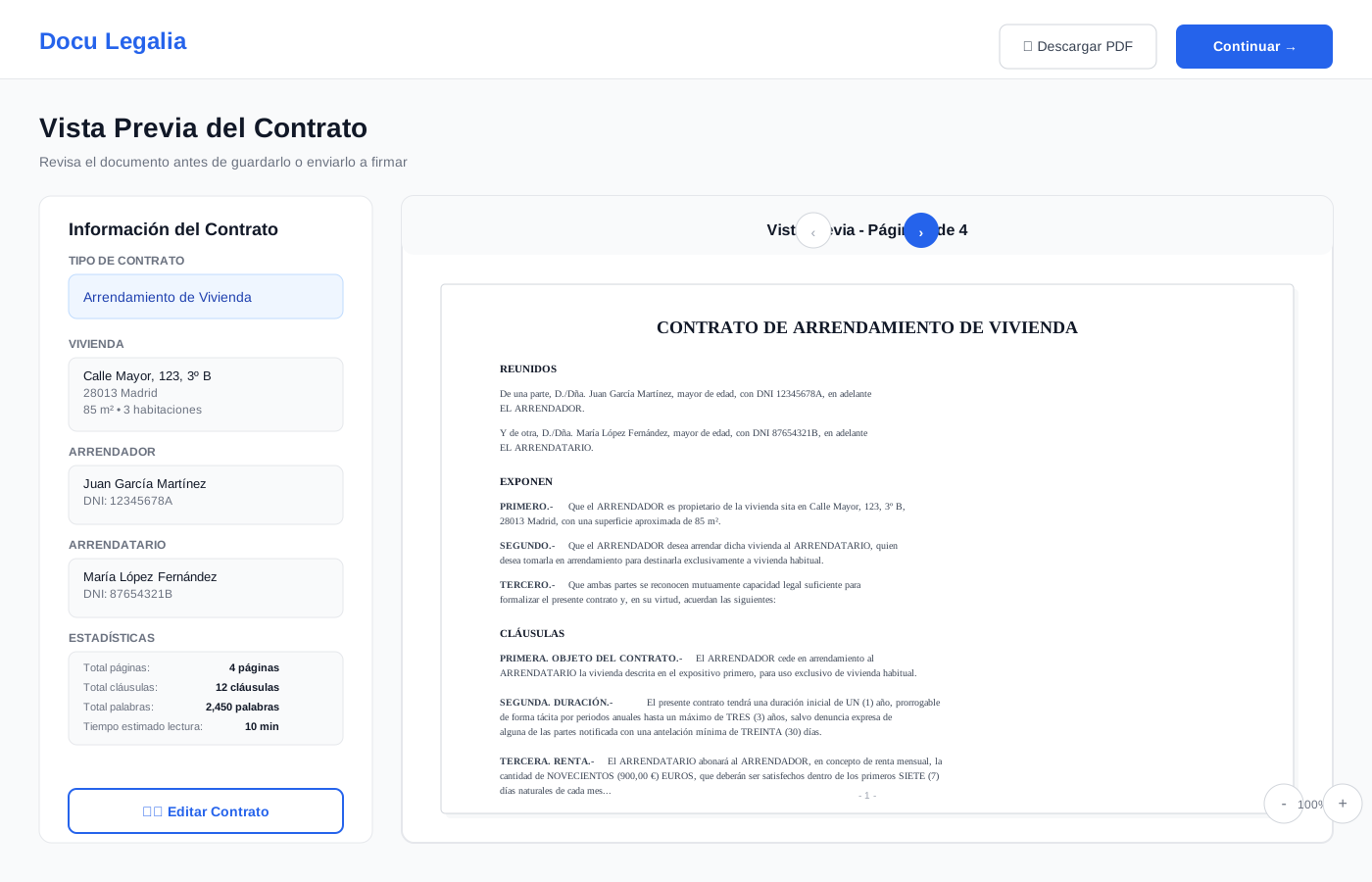
📊 Document insights
In the preview you'll see useful contract stats:
Save or send to sign
Once the contract looks perfect, you have two options:
💾 Save to my dashboard
The contract is saved in your account so you can:
- • Download as PDF or Word
- • Edit it for free during the initial period
- • Send it to sign later
- • Duplicate it to create new contracts
✍️ Send to sign
Go straight to the electronic signature flow:
- • Qualified signature with full legal validity
- • Certified and recognized in Europe (eIDAS)
- • Automatic email notifications
- • Real-time tracking
- • Audit certificate included
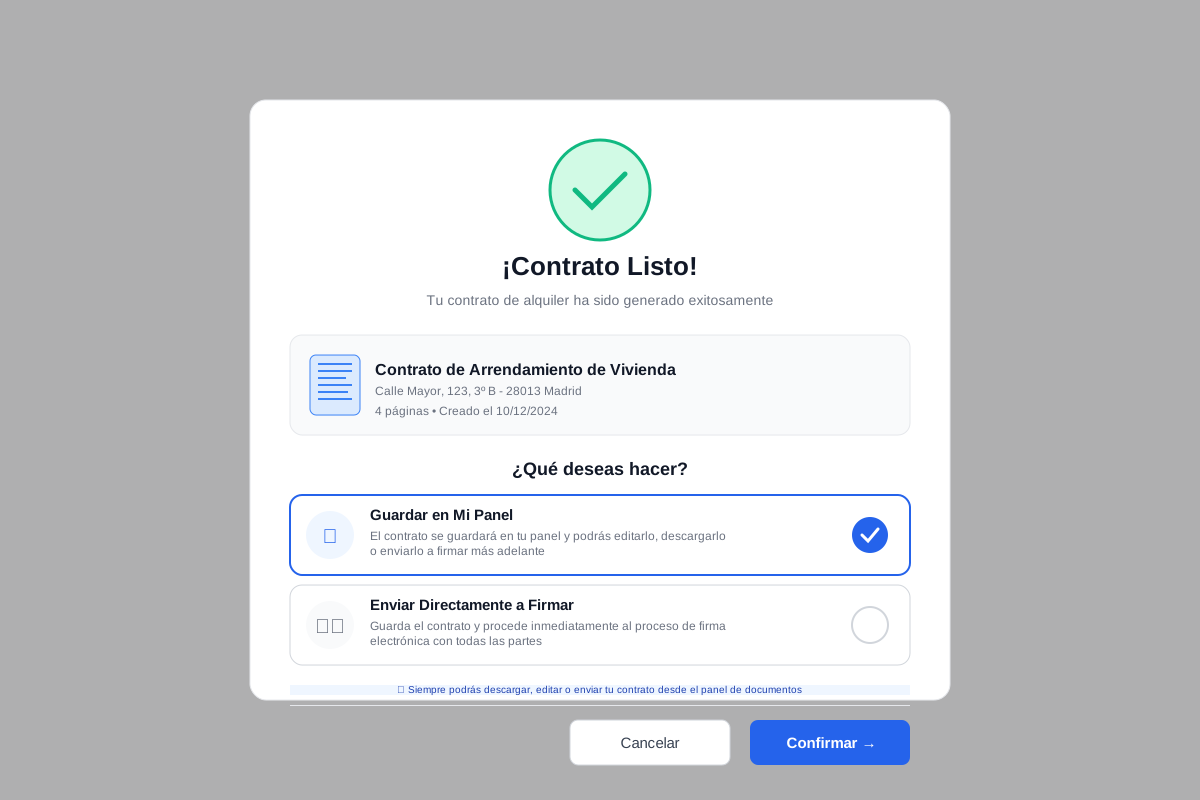
Done! Your contract is ready
Once saved or signed, your rental contract is fully legal and ready to use. You can access it anytime from your documents dashboard.
Ready to create your rental contract?
Get started now and have your contract ready in less than 10 minutes.
Create contract now →No subscriptions • One-time payment • Electronic signature included